

BenAI
Ask anything, or tell it to do things in BenOS, like turning on dark mode. BenAI's own models run on your device, so your chats stay there too. Press Ctrl + / to ask from anywhere.

A full operating system in a single HTML file. Use it on the web at mybenos.benjaminoriginals.com, or download it from GitHub and run it on your own computer.
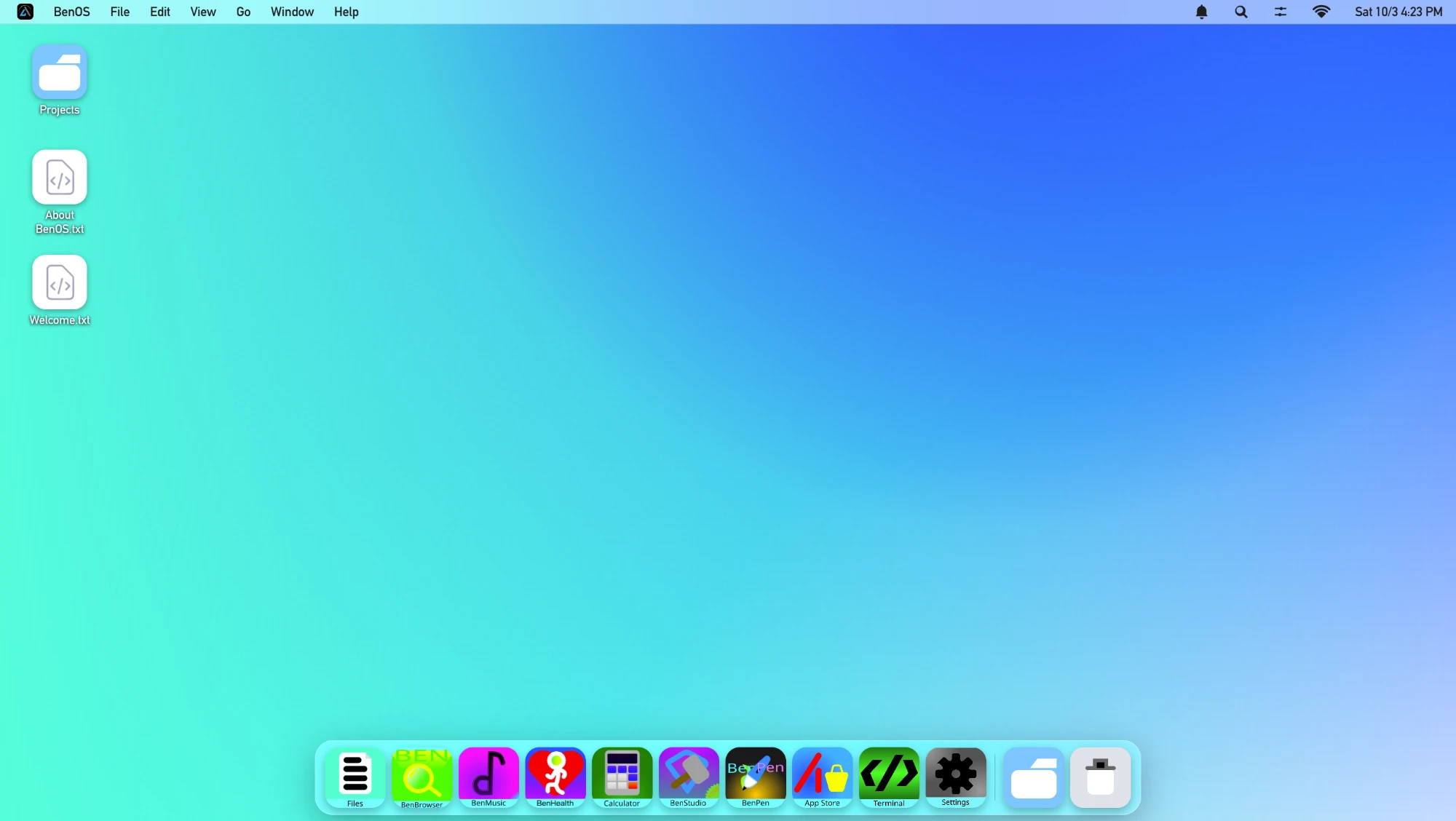
Every copy of BenOS HTML comes with these apps.
Ask anything, or tell it to do things in BenOS, like turning on dark mode. BenAI's own models run on your device, so your chats stay there too. Press Ctrl + / to ask from anywhere.

An HTML, CSS and JavaScript editor with live preview. If you can write HTML, you can build your own apps and install them right in BenOS HTML.

Ad-free, offline music with no subscription. The library keeps growing, and you can ask for new songs to be added.

Your personal and workspace files in one place, with a clear view of what's taking up storage on your BenOS device.

Run commands and work with the system through a text interface.

Make simple art and handwritten notes. Save, open, edit and export your projects whenever you want.

Open your images and videos without leaving BenOS HTML.

A fast, private browser that's part of BenOS, so the web is one click away from everything else.
 BenHealth
 Calculator
 App Store
 Settings
This is the real BenOS HTML, running inside the page. Press start to load it.
Files you create here are stored in your browser. Clearing your browser data will erase them.
BenStudio lets you write HTML, CSS and JavaScript inside BenOS HTML and install what you make. When your app is ready, submit it to the BenOS HTML App Store.
The whole OS lives in a single HTML and JavaScript file, which keeps it as light as possible.
Files are stored with IndexedDB, handled by async JavaScript and Promises.
Every app opens in its own sandboxed iframe, kept apart from the rest of the system.
A custom crash bridge watches for failures, so if one app goes down, the rest of BenOS keeps running.
Set BenOS HTML up on a display device and let anyone try it. BenOS Connect is built in, so visitors can only reach what you want to show, never your own files.
BenBrowserBenMusicBenPenSettingsThe web version is exactly the same as the download. If you plan to clear your browser's cache or storage, back up important files first.
BenOS HTML (Beta).html.To keep your files saved permanently, open the file through a local server, like VS Code Live Server or Python's http.server, instead of double-clicking it.
Yes. It's free to use on the web, and free to download from GitHub.
No. BenOS HTML runs inside your browser. It doesn't interact with or modify macOS, Windows, Linux or anything else on your device.
In your browser, using IndexedDB and localStorage. Clearing your browser data or cache can permanently delete your BenOS files and settings, so back up anything important.
No, they're the same. Updates to the web version keep all of your data.
Yes. Build them in BenStudio with HTML, CSS and JavaScript, then submit them to the App Store.
BenOS HTML is made by Benjamin Originals. The original build, Sierra, was made by @DedeProGames-official.
BenOS HTML is free and runs in any modern browser.